Gauge panel
Display numeric values from a topic using FoxQL on a customized gauge display.
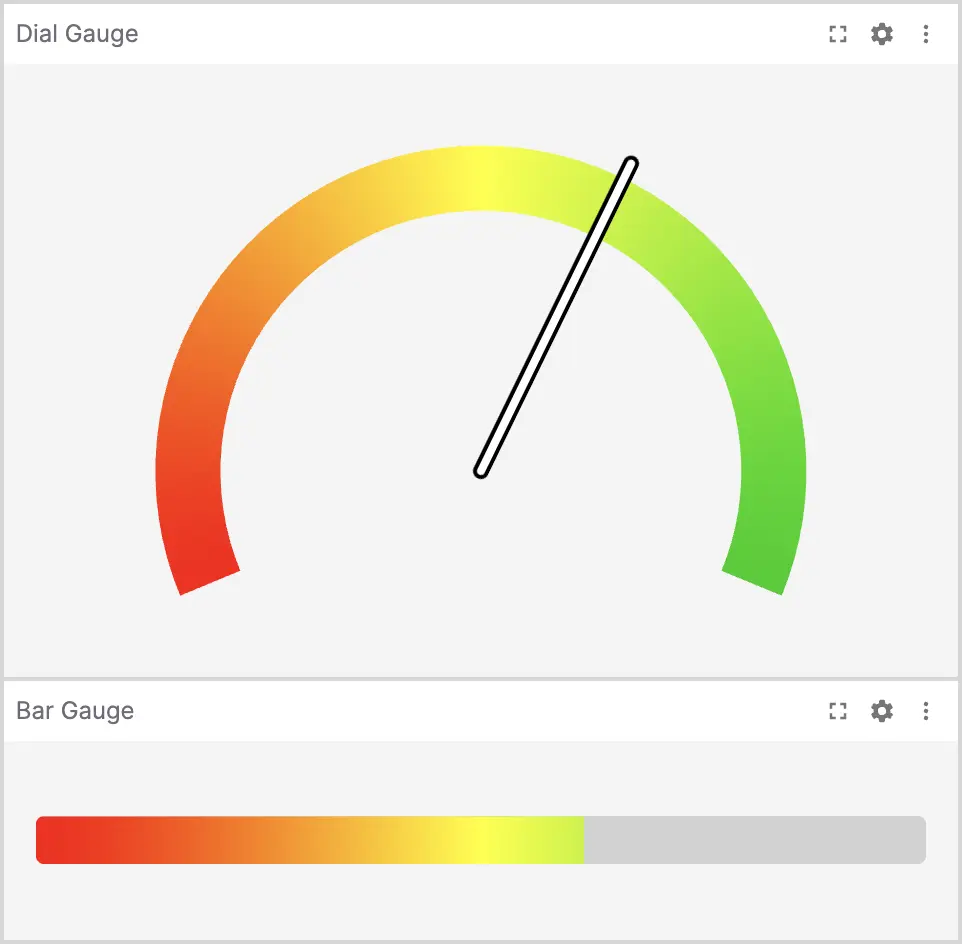
In Comparison mode, use the Data source picker in the panel toolbar to choose which slot to display.
FoxQL functions can be appended to the path using .@name syntax:
Scalar (.@abs, .@acos, .@asin, and more)
| Function | Description |
|---|---|
.@abs | Absolute value |
.@acos | Arc cosine (radians) |
.@asin | Arc sine (radians) |
.@atan | Arc tangent (radians) |
.@ceil | Round up to nearest integer |
.@cos | Cosine (input in radians) |
.@degrees | Convert radians to degrees |
.@log | Natural logarithm |
.@log1p | Natural log of 1 + value |
.@log2 | Base-2 logarithm |
.@log10 | Base-10 logarithm |
.@negative | Negate the value |
.@radians | Convert degrees to radians |
.@round | Round to nearest integer |
.@sign | Sign of value (-1, 0, or 1) |
.@sin | Sine (input in radians) |
.@sqrt | Square root |
.@tan | Tangent (input in radians) |
.@trunc | Truncate to integer |
Operand (.@add(number), .@sub(number), .@mul(number), and more)
| Function | Description |
|---|---|
.@add(number) | Add a number |
.@sub(number) | Subtract a number |
.@mul(number) | Multiply by a number |
.@div(number) | Divide by a number |
Vector (.@norm)
| Function | Description |
|---|---|
.@norm | Euclidean norm (magnitude) of a vector object or numeric array |
Struct (.@rpy, .@quat, .@ypr, and more)
| Function | Description |
|---|---|
.@rpy | Convert quaternion to roll/pitch/yaw (radians) |
.@quat | Convert roll/pitch/yaw to quaternion |
.@ypr | Convert quaternion to yaw/pitch/roll (radians, ZYX order) |
.@yrp | Convert quaternion to yaw/roll/pitch (radians, ZXY order) |
Not supported in this panel: Time-series functions (.@delta, .@derivative, .@integral, .@timedelta). See the Plot panel for time-series modifiers (timestamp x-axis).
Settings
General
| field | description |
|---|---|
| Expression | FoxQL expression containing a numeric value (or string that can be coerced to a numeric value) |
| Style | Style of gauge ("Dial" or "Bar") |
| Min | Minimum value for the gauge |
| Max | Maximum value for the gauge |
| Show ticks | Show value ticks and labels on the gauge |
| Tick interval | Spacing between tick marks, expressed in the gauge's value units (not a 0–1 fraction of the range); defaults to 0.1 |
| Color mode | Type of gradient to use for the gauge |
| Color map | Preset gradients for the gauge: "Red to green", "Rainbow", or "Turbo" |
| Gradient | Starting and ending color stops for custom gradient |
| Reverse Colors | Reverse the colors of the gauge |
| Reverse Direction | Reverse the direction of the gauge, with min on right and max on left |
| Origin | Value the fill grows from; when set, the fill grows outward from it and the tick grid is anchored so a tick lands on the origin. Defaults to Min. |
| Mirror color at origin | Mirror the color ramp at the origin for a diverging look (only used when Origin is set). |
When Show ticks is enabled, both styles render labeled ticks using the configured Tick interval.
Styles
The panel supports two display styles:
- Dial – Displays the value as a needle on a semicircular dial. This is the default style.
- Bar – Displays the value as a horizontal progress bar. Useful for compact layouts or when monitoring multiple values.
Both styles support value ticks and labels when Show ticks is enabled.