
Primary Site v0.0.67

Added
  • inbox-listener: added MAX_FINALIZATION_WORKER_COUNT environment variable to configure the maximum worker count used to write files to the lake. This defaults to 40 and can be reduced to mitigate rate-limiting API errors from the lake bucket. When set to 0, the inbox listener uses one worker per topic in the input file.
Docs: About | Install | Upgrade

Foxglove 2.26.0

🎨 Set URDF opacity and toggle outlines​

You can now adjust the opacity of URDF models and toggle their outlines in the 3D panel. This gives you more control over how your robot models are displayed.

🔍 Marquee zoom for Plot and State Transitions panels​

The Plot and State Transitions panels now support marquee zooming. Click and drag to select an area to zoom into.

⌨️ Keyboard shortcuts on desktop​

The desktop app now supports keyboard shortcuts for common actions:

ActionShortcut
Open a new window⌘ + n / Ctrl + n
Open a recording⌘ + o / Ctrl + o
Open a live connection⌘ + Shift + o / Ctrl + Shift + o
New & Improved
  • Replaced the floating "Reset View" button with a panel toolbar button in the Image panel
  • Improved handling of improperly encoded data fields in JSON schema messages
Performance
  • Improved performance in the Raw Messages panel
  • Improved performance in the State Transitions panel
  • Improved seeking behavior in the Image panel when viewing compressed video topics by caching keyframes
Fixes
  • Fixed jitter in the Plot panel legend when hovering over plot series
  • Fixed line flicker on overlapping poses in the 3D panel
  • Fixed textures of COLLADA meshes not loading in certain situations
  • Fixed an issue where selecting all visible items in the recordings page would show an error with open-ended date ranges
  • Fixed spurious errors in 3D panel topic settings during playback loops
  • Fixed inability to view and set prismatic URDF joints
  • Fixed textures of URDF OBJ/GLTF meshes not loading
  • Fixed a bug where state transition panels could cause misalignment with timeseries plots
  • Fixed jitter when panning and zooming large path-based plots with 1:1 scales enabled
  • Fixed an issue where the 3D panel would not show the selected marker when scrubbing
  • Fixed an issue where the desktop app would not persist the current path on refresh

Downloads: Linux: deb amd64 arm64, snap amd64 | Windows: Universal | Mac: Universal

Foxlet v1.3.3

Foxlet​

This release contains a fix for stalled API calls.

Fixed
  • Fixed an issue where API calls would stall indefinitely, blocking submission of new recordings

Docs: About, Install | Debian Packages: amd64, arm64 | Binary Files: amd64, arm64

SDK v0.7.0

🥳 Initial public release of the Foxglove SDK​

We're excited to introduce the Foxglove SDK, a unified toolkit that simplifies integrating your robotics stack with Foxglove. The SDK provides a single, idiomatic API for live visualization, logging, and remote monitoring.

Today, we're releasing the initial version of the Foxglove SDK for C++, Python, and Rust. Built on a shared Rust core, it ensures consistency and reduces feature drift. You can:

  • Log structured data to MCAP files for offline analysis
  • Stream live data to Foxglove via the WebSocket protocol
  • Use high-level logging APIs for common Foxglove schemas like CompressedImage and SceneUpdate
  • Define and log custom message types with minimal boilerplate
  • Switch between live streaming and file logging using the same instrumentation

Get started​

Get started in a few lines using the SDK to log your data to MCAP files, stream live data directly to the Foxglove app, or both simultaneously:

import foxglove as fg
from foxglove.schemas import Pose, PoseInFrame, Quaternion, Timestamp, Vector3

fg.start_server()

# Close the mcap writer with close() or the with statement
with fg.open_mcap("foo.mcap"):
fg.log("/example", PoseInFrame(
timestamp=Timestamp(sec=0),
frame_id="ego",
pose=Pose(
position=Vector3(x=1.0, y=2.0, z=3.0),
orientation=Quaternion(x=0.0, y=0.0, z=0.0, w=1.0),
),
))
tip

Read the docs to get started.

Key features​

The Foxglove SDK addresses challenges in integrating custom robotics frameworks and tooling:

  • Unified Logging Interface: Record to disk or stream live data using a consistent API
  • High-Level and Low-Level APIs: Choose between high-level APIs for common schemas or low-level APIs for custom serialization
  • Live Visualization Support: Stream live data to Foxglove for real-time visualization
  • Cross-Language Consistency: Shared Rust core ensures consistent behavior across Rust, Python, and C++
warning

The C++ SDK is not yet feature-complete, but all languages are available for use, and we welcome your feedback.


Docs: Introduction | Reference: Rust, Python, C++ | Source: github

Primary Site v0.0.66

Fixes
  • Fixed an issue where the stream server would sometimes yield messages from earlier than expected when using the lastPerChannel replay policy.

  • Fixed an issue where too many concurrent connections to the underlying object store would result in resource exhaustion. There is now a default limit of 1024 concurrent connections.


Docs: About | Install | Upgrade

Foxglove 2.25.0

📮 Plot by any timestamp​

You can now generate plots and state transitions using arbitrary timestamp fields from your messages. This gives you more flexibility in how you visualize your time-series data.

👨‍💼Layout Manager​

We've introduced a dedicated page for managing your Foxglove layouts. The new layout manager makes it easier to organize, share, and maintain your visualization configurations.

🧊 Point cloud cube mode​

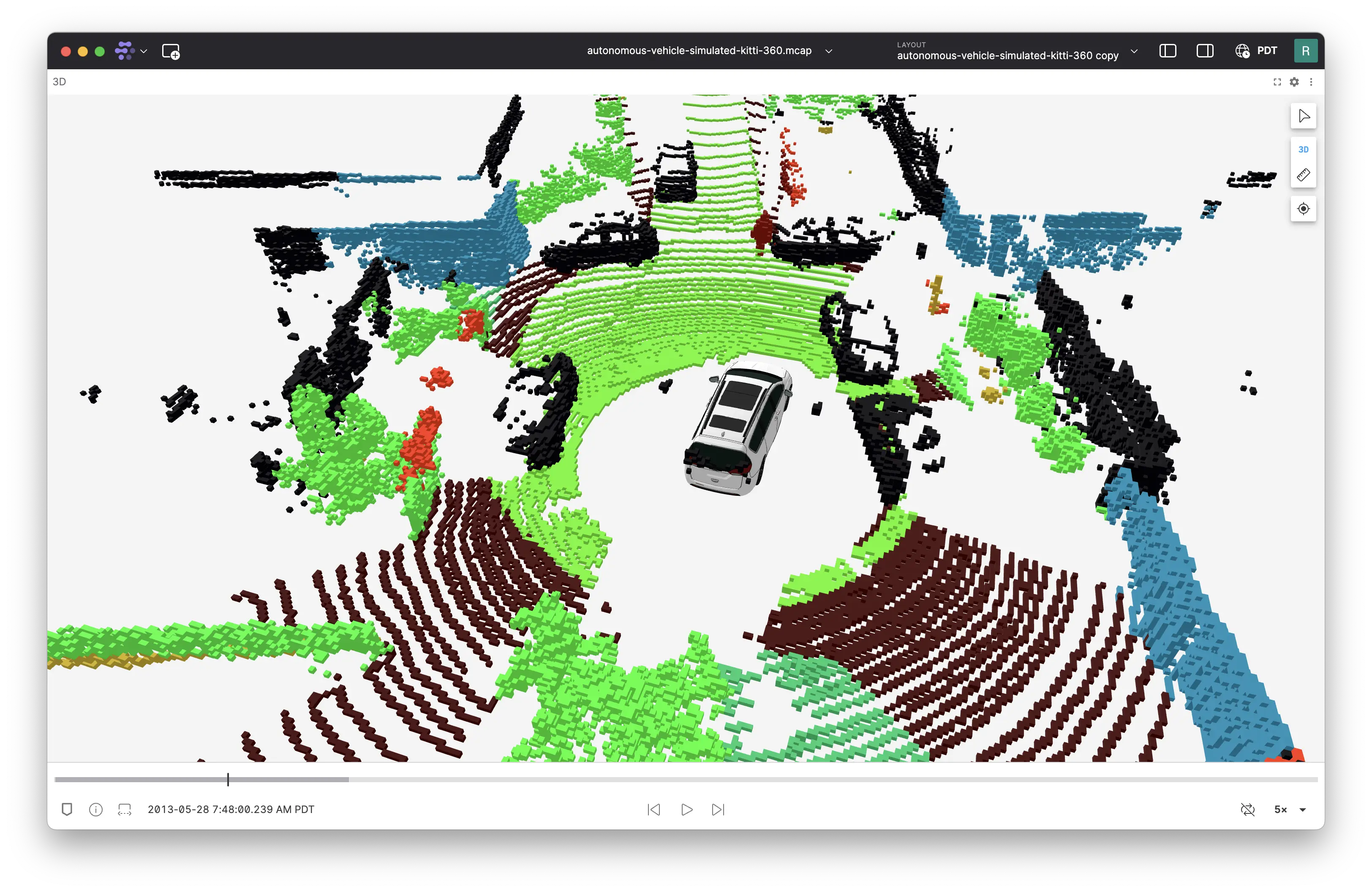
Point clouds and laser scans now support a cube rendering mode that displays points as cubes. This is useful when your point cloud data semantically represents voxels.

point cloud cubes

New & Improved
  • Replaced the floating reset view button with a panel toolbar button in the Plot and State Transitions panels
  • Device tokens are now automatically disabled when their associated device is deleted
Performance
  • Improved performance when streaming data in the web app
  • Enhanced performance for timeseries plots
  • General performance optimizations across the application
Fixes
  • Fixed an issue in the Plot panel where index plots could not be zoomed independently on the x-axis or y-axis
  • Fixed a bug where zooming-in on XY plots would not show data points indicating data is no longer down sampled
  • Fixed an issue where the 3D panel would not properly render frame transforms after changing the session ID
  • Fixed bulk actions in the recordings list to properly scope to the selected device
  • Fixed an issue where the settings panel would not open when clicking the settings icon in the object inspector
  • Fixed incorrect positioning of 3D panel crosshairs in certain scenarios
  • Fixed a bug where recordings from deleted devices remained visible
  • Fixed line clipping in the 3D panel when using small near clipping plane distances
  • Fixed an issue where GeoJSON shape selection outlines would persist after moving the mouse away

Downloads: Linux: deb amd64 arm64, snap amd64 | Windows: Universal | Mac: Universal

Foxglove 2.24.0

🚢 Performant API for visualizing data across a time range​

The subscribeMessageRange extension API is now generally available. Using this API, Foxglove can load data in small chunks and cache only a subset of serialized data. By doing this, heap memory usage is reduced while still allowing fast re-reads. As a result, panels can display larger datasets without exhausting memory resources.

The subscribeMessageRange API should be used instead of preload: true and context.watch("allFrames") in order to load data across a data source. These previous APIs are now deprecated.

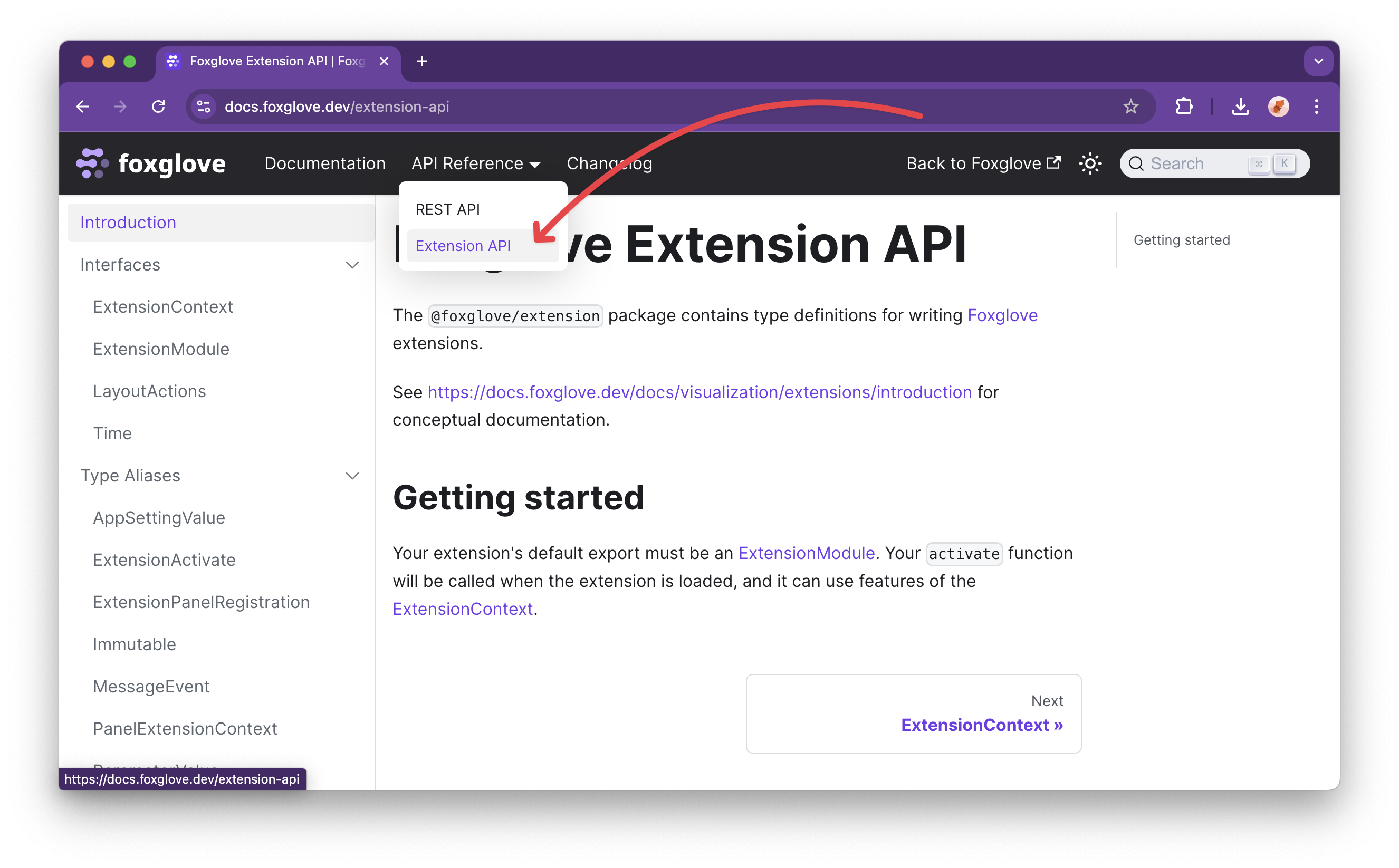
The reference documentation for the extension API is also now available in the core Foxglove documentation. extension api docs

⏮️ Quick navigation to recent layouts​

The layout menu now shows a list of recently used layouts at the top for quick navigation.

New & Improved
  • Added font size settings to the Log panel
  • The Map panel now shows the color assigned to each topic when using "Automatic" color mode
  • rgba8 and bgra8 encoded images now use their transparency when rendering in the Image panel
Performance
  • Improved the offline startup time of the Foxglove app
  • Improved the stability of the WebSocket connection
  • Plot panel performance improvements
Fixes
  • Fixed an issue where the URL would unnecessarily update while the web app loads a data source
  • Fixed an issue where reverting a layout to the last saved state would result in some settings not resetting
  • Fixed an issue where H.264 video playback would fail in rare cases
  • Fixed an issue where old completed imports were sometimes missing from the timeline view for devices with over 100,000 recordings
  • Fixed an issue where high-frequency data in the Plot panel would jitter under certain circumstances
  • Fixed an issue where the Plot panel legend would display the current y-value, but not the x-value, for XY plots
  • Fixed an issue where Plot panel tooltips did not correctly show that multiple points were under the cursor
  • Fixed a bug where ctrl/cmd + c did not work to copy text out of the Log panel

Downloads: Linux: deb amd64 arm64, snap amd64 | Windows: Universal | Mac: Universal

Primary Site v0.0.64

Fixes
  • Fixed an issue where input files with foxglove_device_name metadata would be interpreted as having no device.
Changed
  • Updated the default for SEQUENCE_NODE_MAX_BUFFERED_COUNT from 32 to 0.

Docs: About | Install | Upgrade