Foxglove 3.0.0
🤖 Agent sidebar: a built-in agent to work on your data Beta
Foxglove's built-in agent builds layouts, writes user scripts, runs your request as a query on Search, and answers questions about your data. Read-only tools run on their own; anything that makes a change waits for your approval. The agent sidebar is available on all plans. Read more about Agent sidebar.
🔀 Comparison mode: debug what changed between runs
Select two or more recordings, sessions, or events from real-world logs or simulations, and click Compare to put them on one shared visualization timeline. Each source takes a slot labeled A, B, C, and so on; Plot, State Transitions, and Map draw every slot at once, while single-source panels such as 3D show one at a time. Comparison mode is generally available on Pro, Enterprise, and Academic plans, for basic and developer seats. Read more about Comparison mode.
🔎 Semantic search: find image frames and actions by describing them Beta
Query your data by describing the action your robot took (semantic search over video embeddings) or what's in the frame (image embeddings). Combine a visual prompt with other query fields, for example visual("package dropped") and /robot_state == autonomous, to search recordings' image and video topics alongside other log data. Visual search is in beta on Pro and Enterprise plans; contact sales for access. Read more about Semantic search.
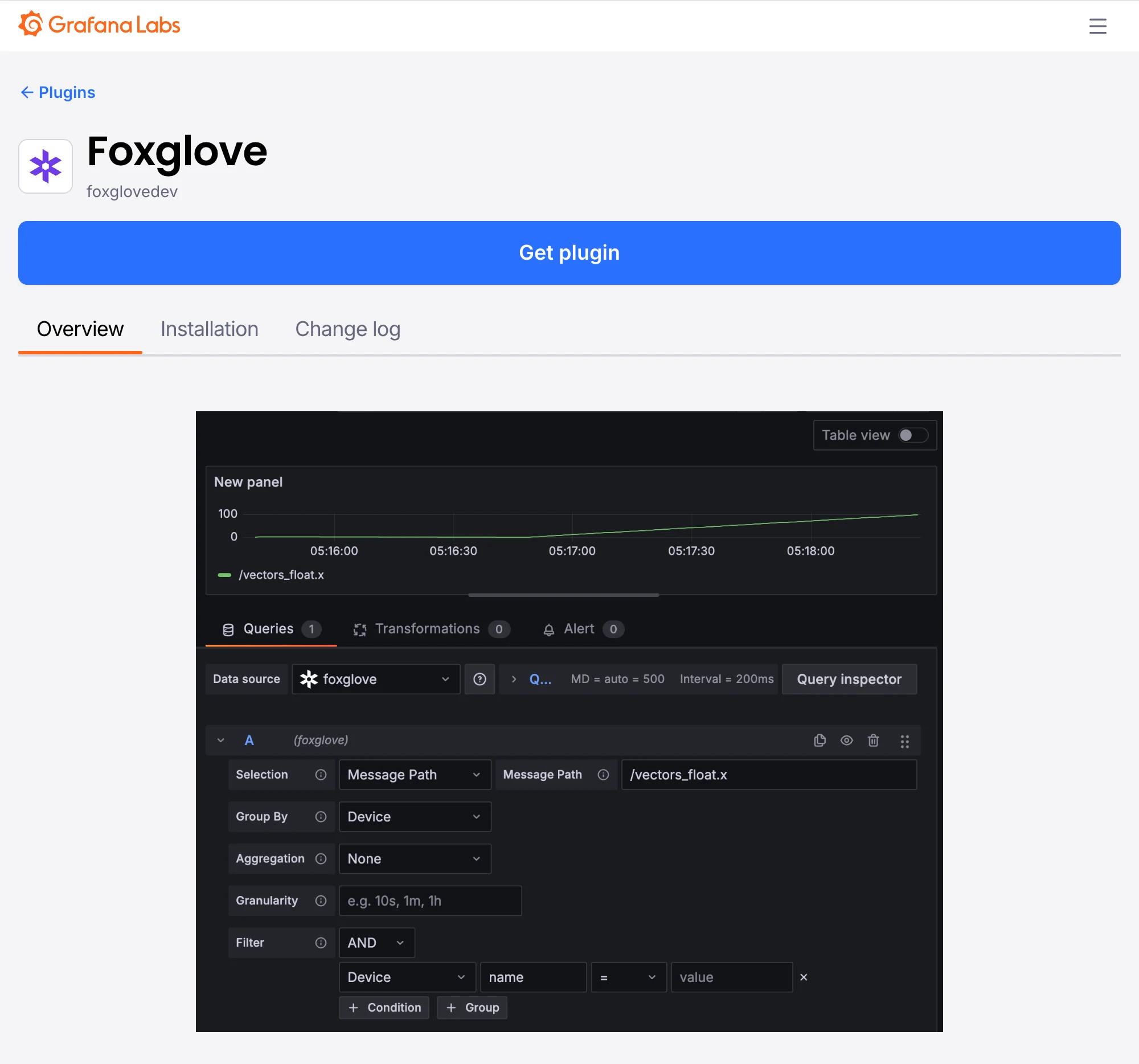
📊 Grafana integration: query Foxglove data in your dashboards
The Foxglove data source plugin, published in the Grafana plugin catalog, turns a FoxQL expression such as /imu.linear_acceleration.x into a time series, using the same query engine as the Search page. The plugin queries the Foxglove data platform directly, so you can build Grafana dashboards on your data in Foxglove. Contact sales for access. Read more about the Grafana plugin.
🗄️ Bring your own storage: general availability
Bring your own storage (BYOS) is generally available (GA) across AWS, GCP, and Azure. Keep your recordings in the cloud storage bucket they already live in while Foxglove indexes each file in place so you can query and stream it, without duplicating or moving your data. Contact sales to get started. Read more about Foxglove Cloud, bring your own storage.
🔌 Desktop MCP server: general availability
The desktop app's local Model Context Protocol (MCP) server is generally available, with access to the same tool catalog as the agent sidebar. Turn on Local MCP server under Settings → Personal → Agents & MCP. The Desktop MCP server is available on Pro, Enterprise, and Academic plans. Read more about Desktop MCP.
New & Improved
- Fleet: the on-device process that monitors and uploads recordings is now called Foxlet across the app and the docs; package, binary, and path identifiers are unchanged — see Foxlet
- Gallery: opening a result shows the details panel, and cards animate into their re-wrapped positions
- Gallery: on a narrow window the details panel takes over the screen instead of squeezing the cards beside it
- Search: previews follow the pointer as you scrub, and topic chips in a result's details switch the preview to the topic you click
- Search: a shared link opens Gallery with the preview topics the sender pinned — see Gallery
- Search: queries mix
ANDandORwithout parentheses; AND is applied first — see Search - Search: parentheses nest to any depth, and a
?query=link created before 3.0.0 opens with an empty query bar; saved searches and recents are unaffected - Search: a recording's Source Details shows the query summary with its grouping parentheses, at any depth
- Search: topic autocomplete matches fuzzily, so a topic turns up without typing the start of its path
- Search: the empty state offers Import data when an organization has nothing to search yet
- Search: device and time-range results list the sessions covering that device and range in List view
- Recordings: a multi-recording visualize view downloads one merged MCAP spanning every recording; comparison views don't offer Download, because that export would be incomplete
- State Transitions: the legend is called series labels, and hiding it compresses each row so more series fit on screen — see State Transitions panel
- Image panel: decodes 12-bit Bayer raw images (
bayer_rggb12,bayer_bggr12,bayer_gbrg12,bayer_grbg12) — see Supported encodings - Panels: double-clicking a panel title expands or collapses it
- Panels: action buttons have clearer spacing and stay easier to see
- Playback: the playback range editor snaps to the playhead, and while its dialog is open, keyboard shortcuts and command palette entries trim the range to the playhead or reset it — see Controls and shortcuts
- Performance sidebar: Export diagnostics saves a JSON troubleshooting report, which stays on the machine until you share it
- Performance sidebar: charts label and scale automatically, readings align, and a warning appears when hardware acceleration is unavailable
- Plot panel: adding a series expands, scrolls to, and highlights it in the settings sidebar
- Tables: the action bar on Recordings, Sessions, and Events stays pinned to the top while you scroll
- Filters: the Recordings, Events, and Sessions filter rows stay compact at narrower window widths
- App bar: the sidebar toggle buttons stay highlighted while their sidebar is open
- Embedding: basic-seat members can open layouts supplied by an embedding application — see Embedding Foxglove
- Admin: the Enterprise usage page shows current seat counts alongside infrastructure credits
- Remote data loader: a stream failure names the loader and shows its error in the Problems sidebar
Performance
- Plot and State Transitions load faster on bring-your-own-storage sites, with nothing to configure
- Search: faster topic discovery on large sites
- Gallery: loads faster when a query returns many results
- Recordings: the page loads faster in projects with many recordings
- The layout menu opens faster
API
- API keys: a request missing a capability returns the
MissingApiKeyCapabilitycode and names the capability it needs - Saved searches:
GET /v1/saved-searches/{id}returns a working run URL. Re-save a search created before 3.0.0 to refresh that URL - Remote data loader: shareable links carry manifest query parameters in
ds.manifestParams, and links in the earlier flat form still open — see Shareable links
Fixes
- Desktop: signing out shows the sign-in screen instead of looping on "Signing out…"
- Desktop: standalone-license mode no longer crashes on the dashboard, the examples page, or the onboarding wizard's examples step
- Desktop: quitting no longer raises a JavaScript error dialog
- Playback: a Data Platform stream that closes during inactivity no longer fails playback
- Playback: merged data sources whose time ranges don't overlap play and scrub without errors
- Gallery: no longer crashes on very large result counts
- Gallery: arrow keys step through cards instead of scrolling the page, and the focused result stays in view as the details panel opens or closes
- Search: video previews still play when the keyframe is before the result window, the file is large, or the result matches more than one topic
- Search: the query field no longer flashes "Loading topics…" on refocus or expands to two rows on narrow windows, and the topic picker settles as it closes
- Search: the results page no longer shows duplicate decade labels, doubled or missing dividers, a misaligned query status bar and sort control, or a details panel that overflows its boundary
- Search: backward date navigation stops at the earliest supported date, and durations longer than a second read in compact units
- Search: a FoxQL function suffix such as
.@absreports an error instead of silently returning results for the untransformed value - Search: results no longer shift horizontally when the page scrollbar appears
- Map panel: timeline previews highlight the matching position in every comparison slot
- Plot panel: warning icons no longer flicker while you hover a comparison badge, and no spurious warning triangle appears when a series or comparison slot becomes active
- Plot and State Transitions: Label field and Value field settings appear only for expressions that are dynamic series
- Video export: exports run when the data source has reported unrelated errors, and console errors read as messages instead of internal identifiers — see Video export
- Panels: an expanded panel collapses back to its current position after the workspace is resized
- 3D panel: map tiles load without waiting for a camera or playback-time change
- Performance sidebar: data throughput reads correctly for local and cloud recordings
- Timeline: a recently added device shows its current name instead of a stale cached one
- Projects: keyboard navigation works in the project picker
- Organizations: inviting basic-seat members works when an organization has reached its paid seat limit
- Agent sidebar: plots of ROS timestamps use the units you asked for
- Onboarding: the quickstart's sample drone stream no longer ends getting-started guidance before you have viewed your own data
Downloads: Linux: deb amd64 arm64, snap amd64 | Windows: x64 arm64 | Mac: Apple Silicon Intel